The 10 Best Free Podcast Transcription Tools for Creators (No Cost Options 2026)
Quick Summary
We compared the best free podcast transcription generators available today for podcasters.
Top Picks:
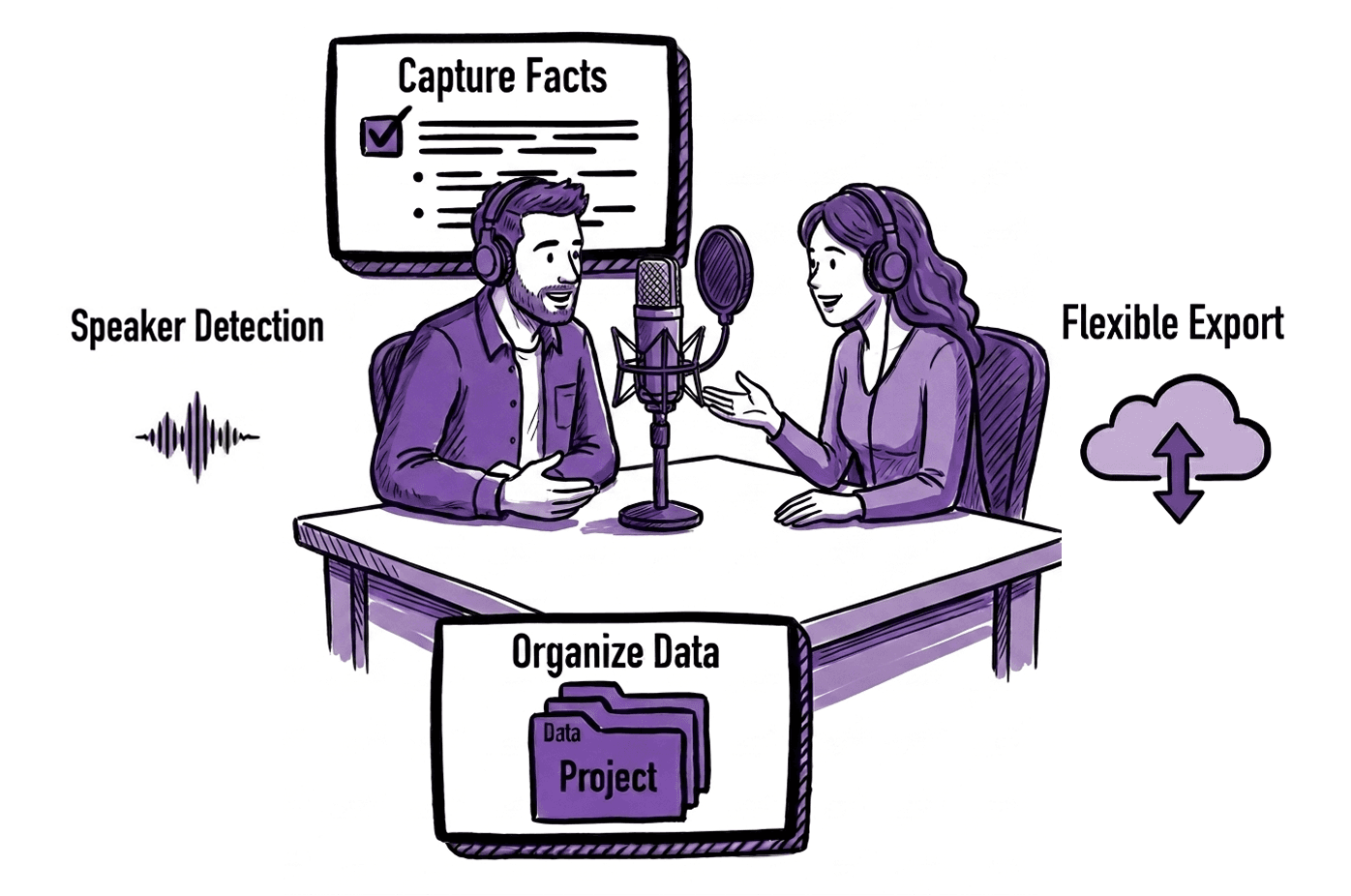
WhisperTranscribe: Best entry point for creators starting with free transcription.
TurboScribe: Best for daily users who need fast, high-volume episode processing.
Aiko: Best for Apple users needing private, offline, and unlimited podcast transcription.
RSS.com: Best for creators who want transcripts synced to podcast apps.
For more reviews like this, visit the WhisperTranscribe blog.
Need Free Podcast Transcription Without Paying for Software?
More creators are now turning to free transcription tools to convert their podcast episodes into text for show notes, blogs, and social content without adding extra costs. The challenge is finding tools that are actually usable beyond basic trials or heavy limitations.
This WhisperTranscribe guide is for creators who want to transcribe their podcasts without spending money, whether you're just starting out or testing tools before upgrading.
Why Listen to Us?
We build and work with transcription workflows daily at WhisperTranscribe. Our platform processes audio into transcripts and content at scale, helping creators save hours every week. This guide reflects hands-on testing, real workflows, and what actually holds up under daily use.
What Free Podcast Transcription Actually Means
Free podcast transcription means using unpaid tools and services to turn your audio or video recordings into written documents. Instead of typing every word manually, you simply upload your MP3 or MP4 file, and the software identifies the spoken language to produce a time-coded script.
Benefits of Free Podcast Transcription
Increased Web Visibility: Search engines still rely heavily on text. Google has confirmed that written content helps it understand and rank pages better.
Better Accessibility: Transcripts also improve accessibility. Around 5% of the global population has disabling hearing loss. Having your episodes in texts brings them closer to more people.
Content Repurposing: Beyond SEO and accessibility, transcripts unlock repurposing. A single episode can become blog posts, LinkedIn content, show notes, and more.
Best Free Podcast Transcription Tools You Can Actually Use
Before we get to each tool, the table below compares the best free podcast transcription tools covered in this guide:
Tool | Platform | Outstanding Feature(s) | Use If You Need… |
WhisperTranscribe | Desktop | AI Content Hub & Magic Chat | Accurate podcast transcripts in multiple languages + AI content repurposing |
TurboScribe | Web | GPU-powered processing speed | To transcribe multiple short episodes every single day. |
Descript | Desktop / Web | Text-based audio & video editing | To edit your actual audio by simply deleting words in the text. |
UniScribe | Web | Visual mind mapping & summaries | A visual map to help organize and brainstorm episode ideas. |
Aiko | iOS / macOS | On-device processing (Privacy) | To transcribe privately on an iPhone or Mac without the internet. |
RSS.com | Web | Automatic app syncing | Your transcript to show up inside Apple or Spotify automatically. |
Spreaker | Desktop | Standalone local processing | A fast desktop tool that keeps all your data on your own device. |
YouTube to Transcript | Web | No-signup link extraction | To pull text from a YouTube link without creating an account. |
Zoom | Web / App | Built-in cloud transcription | To transcribe remote interviews recorded directly in a call. |
OpenAI Whisper | Local CLI | Open-source model access | A custom, high-power engine, and you have coding skills. |
1. WhisperTranscribe
The first free podcast transcription solution on our list is ours, WhisperTranscribe.
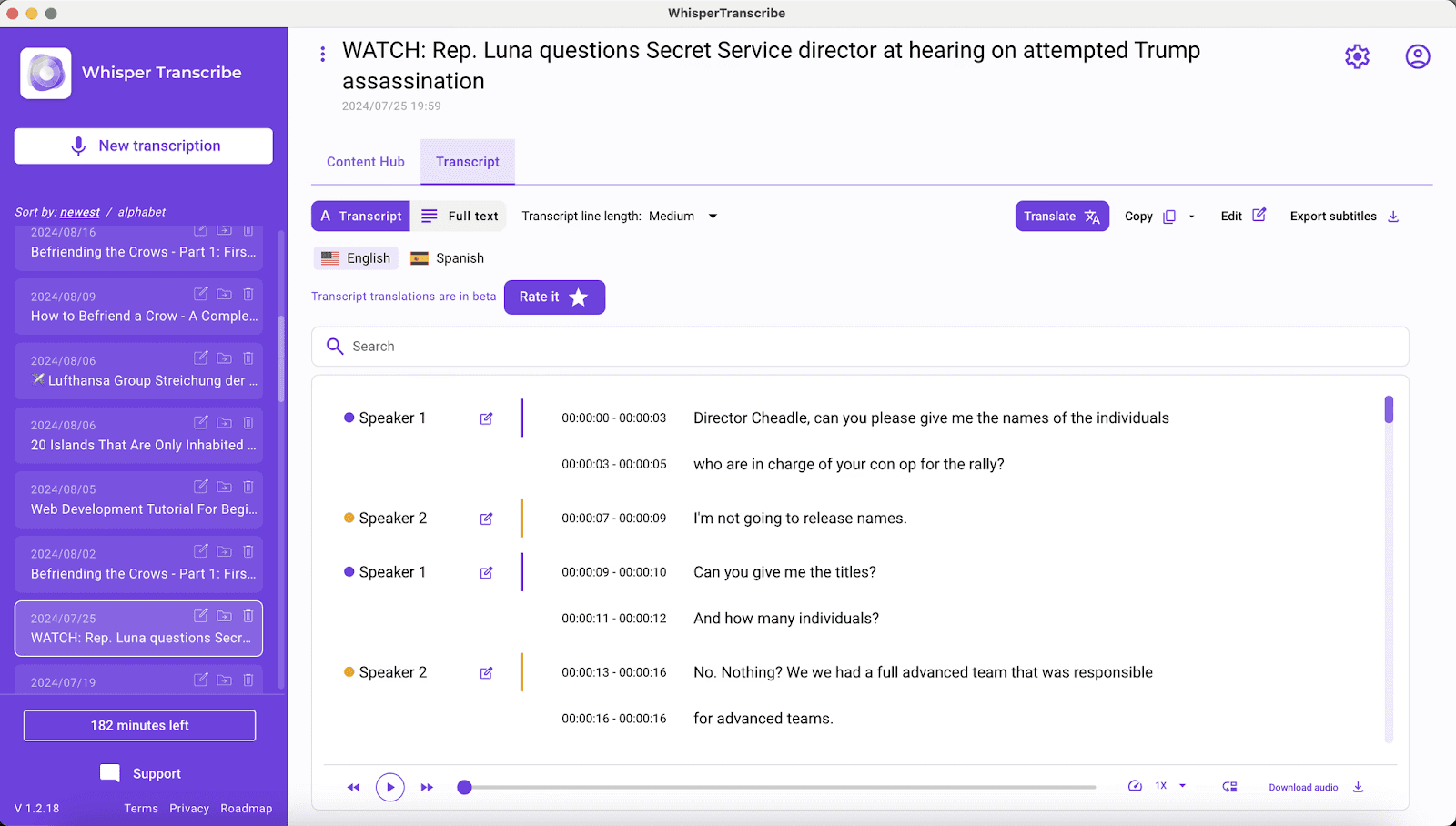
WhisperTranscribe is a desktop-first application that prioritizes your privacy by processing data locally on your machine. We built it to run on the powerful OpenAI Whisper model. As a result, it delivers near-perfect accuracy without sending your files to a cloud server.
Using WhisperTranscribe for your podcast transcription is pretty straightforward:
Record your podcast, upload its MP3/MP4 file, or paste a link from YouTube or a podcast host.
Choose your language and enable speaker recognition in the settings.
Wait for the AI to convert your podcast audio to text in minutes.
But it doesn’t end there. We provide other tools and features that help repurpose your podcast’s transcript. For example, you can translate your transcript into 99+ languages, generate summaries, and even ask questions about the transcript using our Magic Chat tool.
You can also turn your podcast transcript into blog posts, social media snippets, or reports without leaving the tool, using our Content Hub.
Key Features
Generous Free Plan: Our free plan includes full access and 60 minutes of podcast transcription.
95%+ Accuracy: High-end speech recognition that follows standard grammar rules.
Speaker Detection: Automatically tags up to 5 different guests to keep your podcast script organized.
Multilingual Suite: Supports 55+ languages and provides translations in over 90 others.
Flexible Exports: Download your podcast transcript as SRT, VTT, or Word files for easy show notes.
Pros | Cons |
|
|
2. TurboScribe
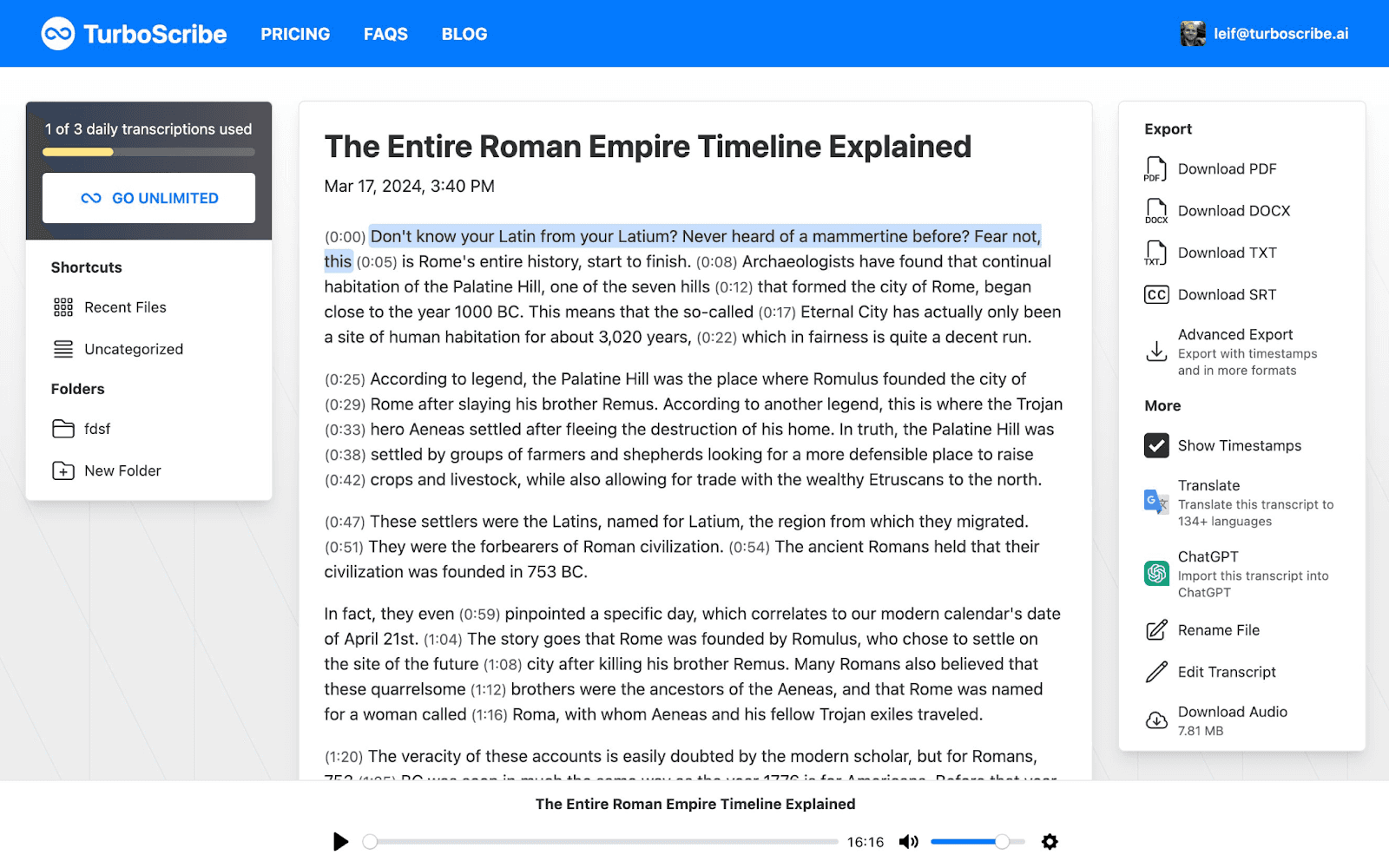
TurboScribe is built for podcasters who need to move through large amounts of audio quickly. It runs on a GPU-powered engine that can turn a full-length episode into text in just a few seconds. The free plan is generous, offering three transcriptions every single day for files up to 30 minutes long.
Key Features
Whisper-Powered Accuracy: Uses industry-leading AI to achieve 99.8% transcription accuracy.
Massive File Support: Paid users can upload files up to 10 hours long or 5 GB in size.
Global Reach: Transcribes in 98+ languages and translates to over 134 others.
Bulk Exporting: Download your transcripts as PDF, DOCX, TXT, or subtitle formats like SRT.
Speaker Recognition: Identifies different voices to make interview transcripts easy to read.
Pros | Cons |
|
|
3. Descript
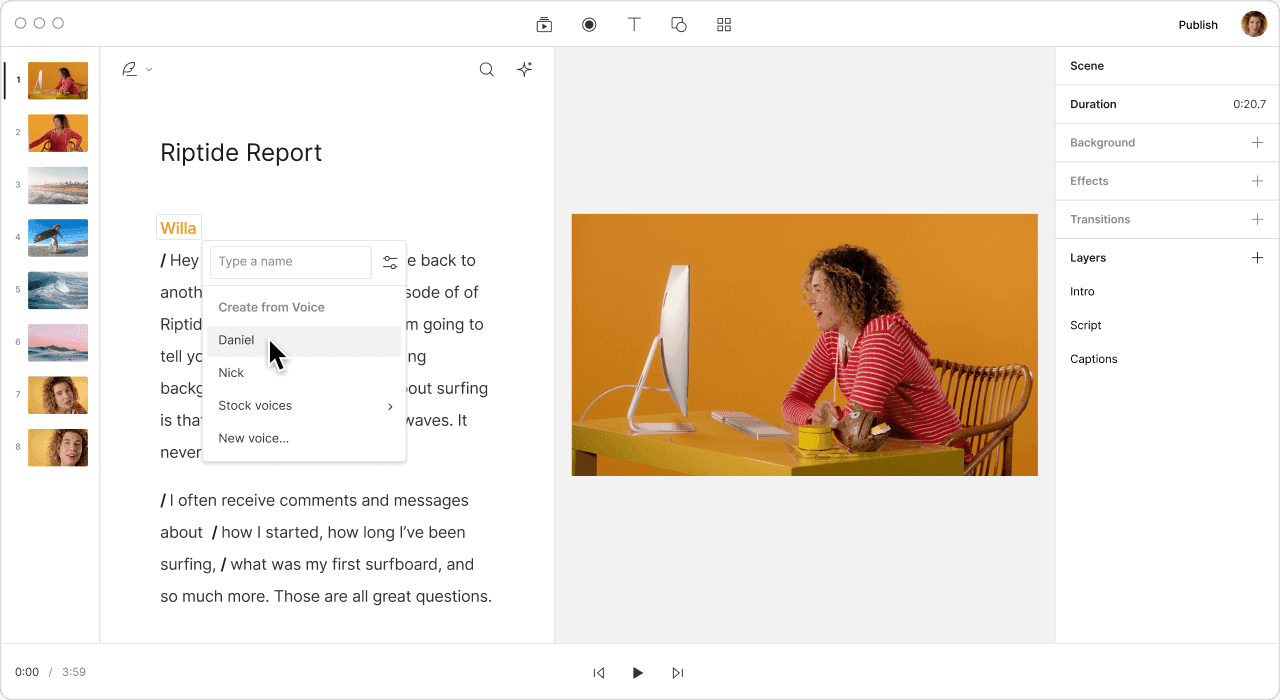
Descript is much more than a transcription tool. It is a full-scale audio and video editor that works like a Word document. It is the best choice for podcasters who want to edit their episodes by simply deleting words from the text.
The free plan includes one hour of transcription per month and basic access to their powerful AI editing suite.
Key Features
Text-Based Editing: Deleting text in the transcript instantly cuts the corresponding audio or video.
Filler Word Removal: A one-click tool that finds and removes "um," "uh," and other common verbal stumbles.
Underlord AI: An integrated assistant that drafts show notes, chapters, and social media captions.
Audiogram Generator: Turns transcript highlights into captioned videos for social media sharing.
Pros | Cons |
|
|
4. UniScribe
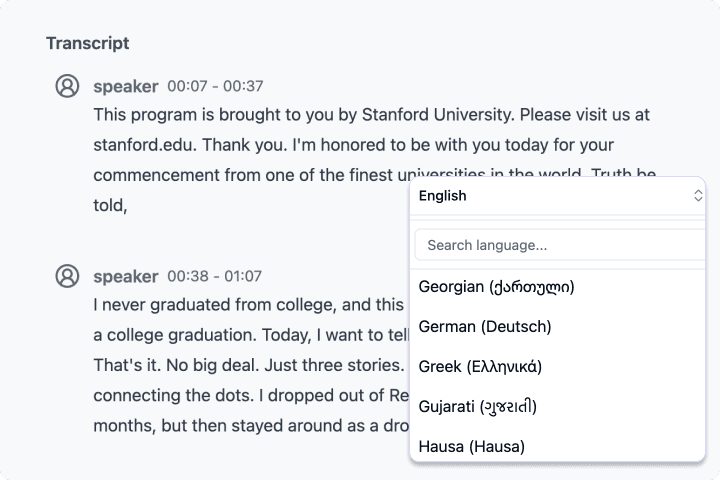
UniScribe is a versatile tool that helps podcasters turn audio and video episodes into more than just text. It specializes in visual learning, automatically creating mind maps and summaries to help you organize your episode ideas.
The free tier is generous for smaller projects, offering 120 transcription minutes every month. You can upload up to three files per day, with a 30-minute limit for each recording.
Key Features
Visual Mind Mapping: Automatically turns your podcast transcript into a visual map of key topics.
Rapid Transcription: Processes a one-hour audio file in less than 60 seconds.
YouTube Integration: Paste any public video link to generate a text script instantly.
Flexible Exports: Supports six different formats, including CSV, VTT, and SRT for easy captioning.
Pros | Cons |
|
|
5. Aiko
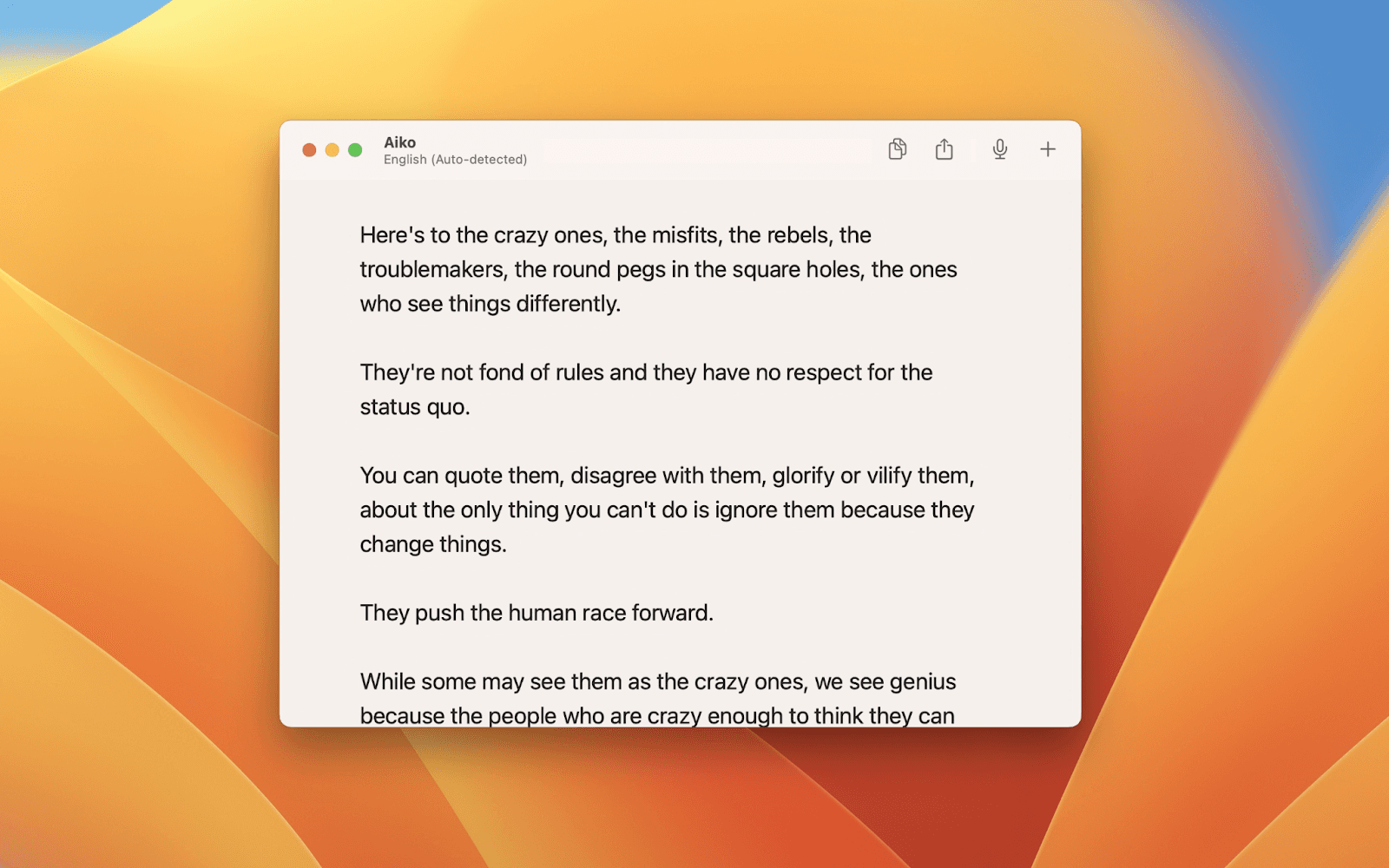
Aiko is a specialized transcription solution for podcasters who prioritize privacy and high accuracy over real-time processing. It’s powered by OpenAI’s Whisper and runs entirely on your Mac, iPhone, or iPad. You get a 14-day full access via TestFlight with no auto-charges or commitments required.
Key Features
OpenAI Whisper Engine: Delivers professional-grade accuracy across 100 different languages.
Universal Purchase: A single download works across your iPhone, iPad, Mac, and even visionOS.
Shortcuts Integration: Use the iPhone action button or Siri to start recording and transcribing instantly.
Subtitle Export: Easily generate and export SRT or VTT files for video podcasts and social clips.
Pros | Cons |
|
|
6. RSS.com
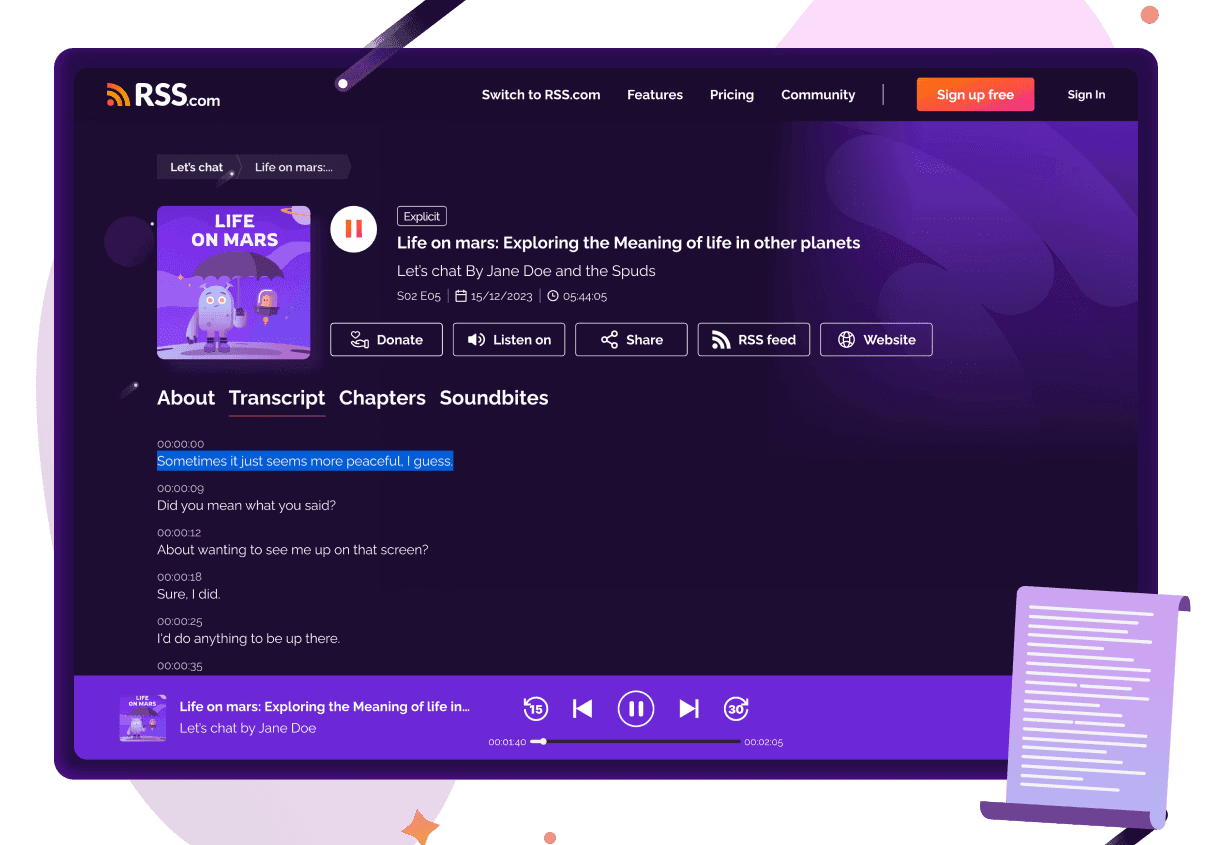
RSS.com is a leading podcast hosting platform that includes a built-in AI transcript generator. It is the best choice if you want your transcripts to sync automatically with major podcast apps like Apple Podcasts.
You can start using RSS.com’s transcript generator for free. However, they currently offer a special "6-month free" promotion for creators who move their existing show to their service.
Key Features
Automatic App Syncing: Your transcripts appear directly in popular podcast apps to improve accessibility.
14 Language Support: The AI automatically detects your spoken language and provides readable text.
SEO-Friendly Scripts: Turns your audio into searchable text to help your show rank on Google.
Human-Editable Interface: Easily tweak the AI-generated text before you hit publish.
Pros | Cons |
|
|
7. Spreaker (Free Podcast Transcription)
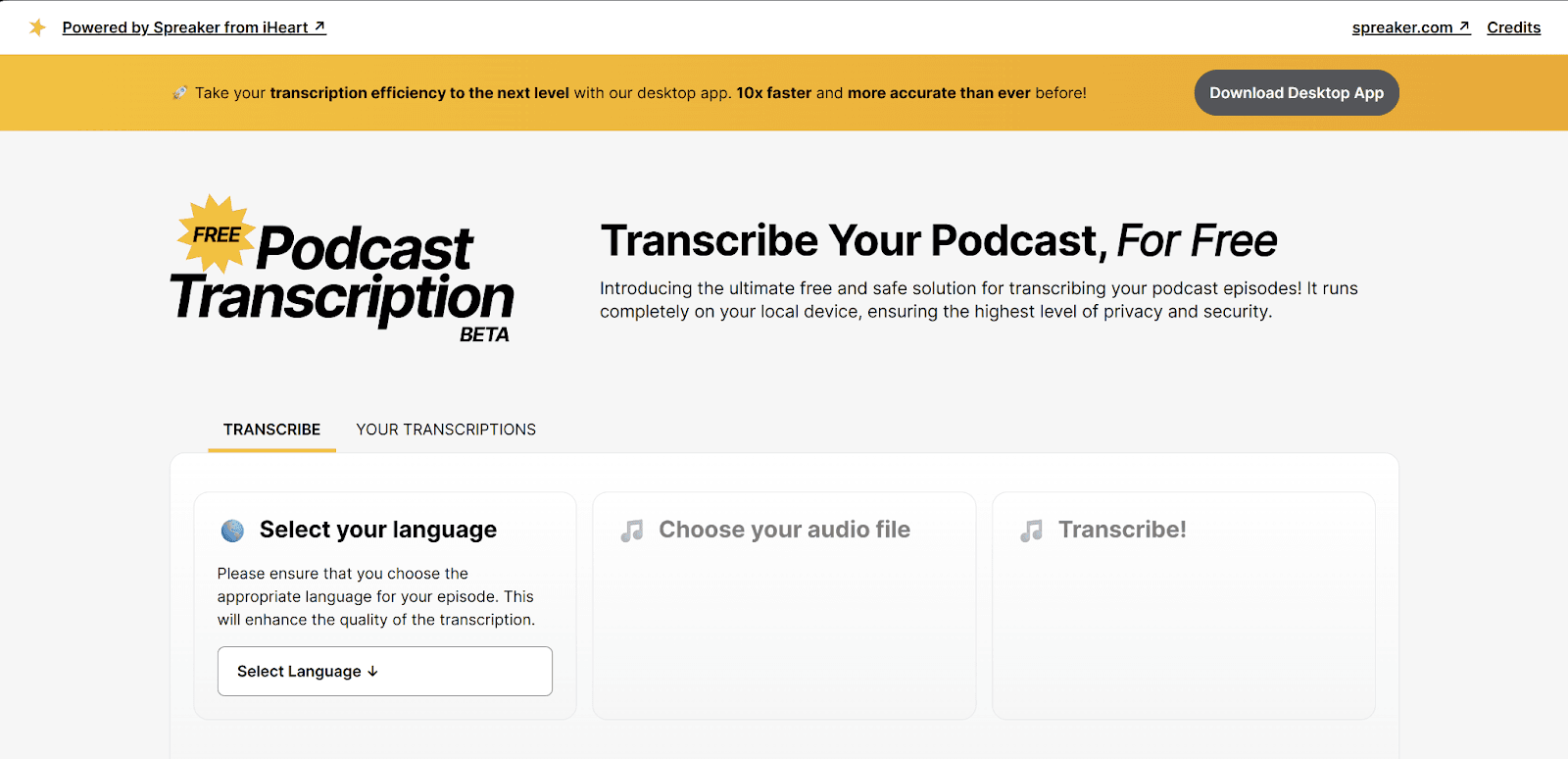
Spreaker offers a dedicated, standalone tool for creators who need high-speed transcription without a price tag. Unlike cloud-heavy competitors, Spreaker’s tool processes audio directly on your computer, making it a "private-by-design" solution for sensitive podcast episodes.
It’s completely free with no hidden fees. No strict monthly minute caps, though performance depends on your computer’s hardware.
Key Features
Local Processing: Your audio files are never sent to a server, ensuring maximum security.
OpenAI Whisper Integration: Uses the industry-standard Whisper model for 99% accurate scripts.
High-Speed Desktop App: A dedicated desktop version that processes audio up to 10x faster than web tools.
RSS Tag Ready: Generates transcripts that are ready to be used with the <podcast:transcript /> tag in your RSS feed.
Pros | Cons |
|
|
8. YouTube to Transcript
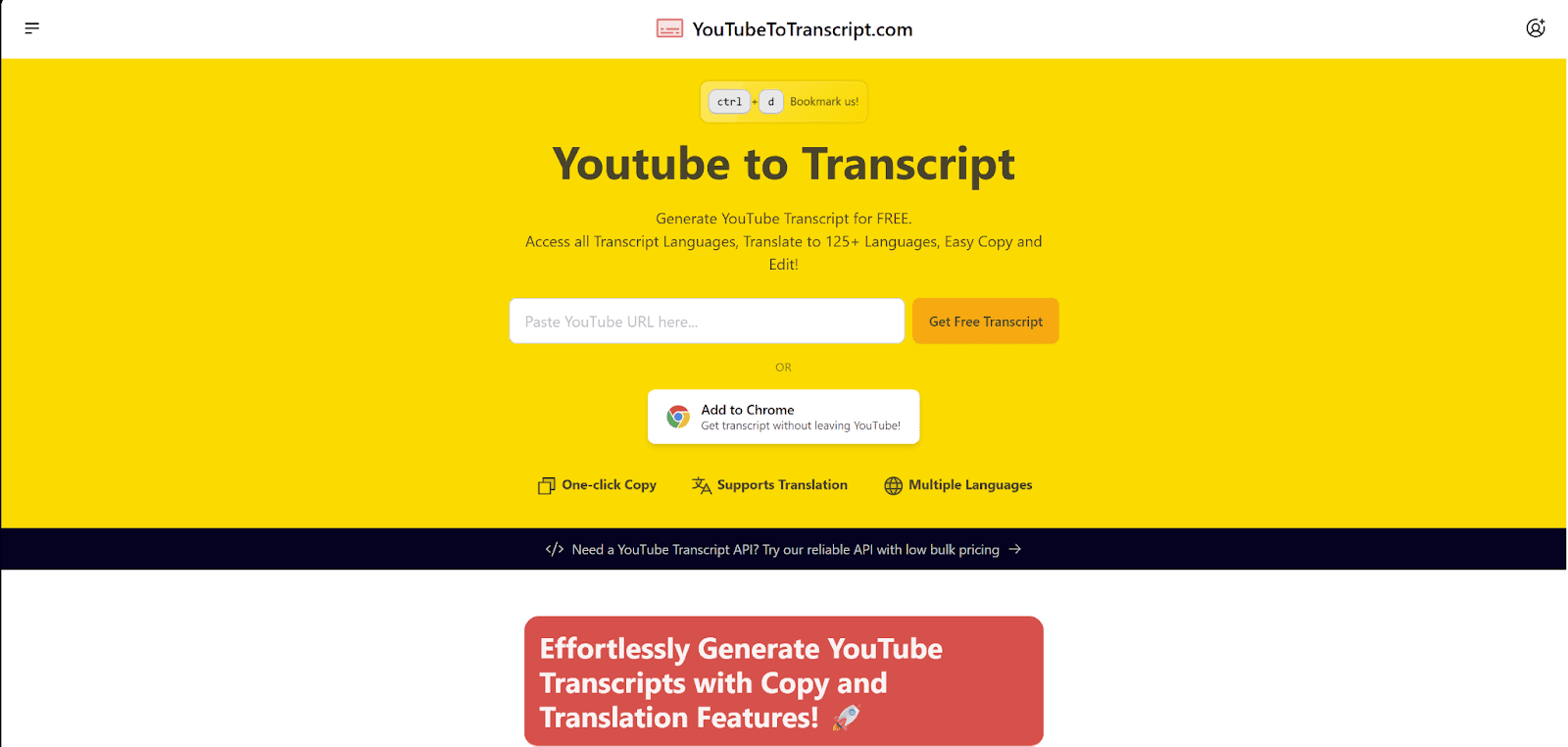
YouTube to Transcript should be your free podcast transcription tool if you host your podcasts on YouTube. You can get your transcript directly by submitting your podcast video URL. No need to create an account or download software.
It’s web-based and completely free to use. No monthly limits or minute caps.
Key Features
Instant Extraction: Paste a video link to get a full, time-coded script in seconds.
125+ Languages: Supports built-in translation to help you reach a global audience.
AI Prompt Library: Provides a collection of pre-made prompts to help you turn transcripts into summaries or notes.
Interactive Player: Syncs the text with an embedded video player so you can jump to specific moments by clicking the text.
Pros | Cons |
|
|
9. Zoom’s In-built Transcription Tool
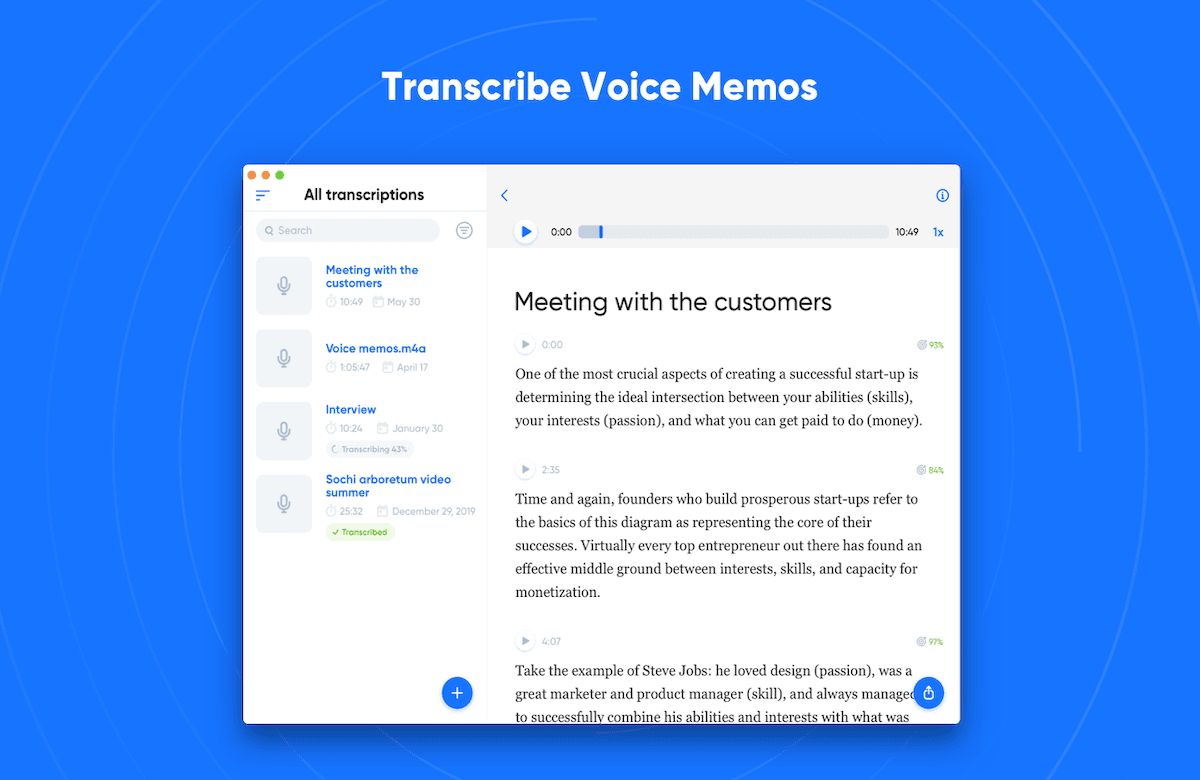
Zoom offers an integrated audio transcription feature for any meeting or webinar recorded to the cloud. It is the perfect solution if you conduct remote interviews via Zoom and want a script ready shortly after the session ends.
You can use this feature freely if you already have a Zoom subscription. No extra addons required.
Key Features
Cloud Integration: Automatically starts transcribing the moment your cloud recording is processed.
Speaker Identification: Recognizes and labels different participants to keep your interview organized.
Interactive Web Editor: View and edit your transcript directly in the Zoom web portal while watching the video.
Searchable Database: Easily search through your library of transcripts for specific keywords or phrases.
Pros | Cons |
|
|
10. OpenAI Whisper
OpenAI Whisper is the open-source engine powering many top transcription services. It is ideal if you’re tech-savvy and want professional-grade accuracy without monthly fees.
Since it is open-source, the software is completely free to download and use forever. However, you will need some technical or programming knowledge to run the code locally on your own computer.
Key Features
Open-Source Excellence: High-end speech recognition technology available to anyone for free.
Massive Dataset Training: Trained on diverse web data to handle technical jargon and various accents.
Flexible Scaling: Choose between different model sizes (tiny to large) depending on your computer's power.
Privacy-First: Processes everything locally on your hardware, so no data ever hits the cloud.
Pros | Cons |
|
|
How We Tested These Free Podcast Transcription Tools
We didn’t just list features. We looked at how these tools actually perform for creators trying to get free transcripts without complex setups or hidden friction. Here’s what we focused on:
Accuracy: We checked how much cleanup was needed after transcription, especially with typical podcast audio like accents, background noise, and natural speech.
Speed: We looked at how quickly each tool could turn an episode into a usable transcript without long delays or extra steps.
Ease of use: We prioritized tools that don’t require technical setup or a learning curve just to get started.
Speaker labeling: For interview-style episodes, we checked how well each tool handles multiple voices and whether conversations stay easy to follow.
Free access in practice: We didn’t just note “free plans”, we looked at what you can actually do before hitting limits or being pushed to upgrade.
Content usefulness: We also considered whether the transcript is usable as-is for things like show notes, captions, or basic repurposing.
Overall, the goal was simple: highlight tools that genuinely help you go from audio to usable text with minimal friction, hidden paywalls, or unnecessary extra steps.
Start Transcribing Your Podcast for Free (No Subscription Needed)
Free podcast transcription tools can get you started, but most stop at raw text. If you want speed, accuracy, and actual content you can publish, you need more than transcription.
That is where WhisperTranscribe fits naturally. Instead of juggling multiple tools, you can transcribe, edit, and repurpose in one place. If you want to turn your podcast into content without adding extra steps, try out WhisperTranscribe.